High Perf JS
goo.gl/0JIpFe
MD Khan / @mdkhan005
www.thatJSdude.com
(youtube.com/user/khanLearning)why performance

Performance improvement



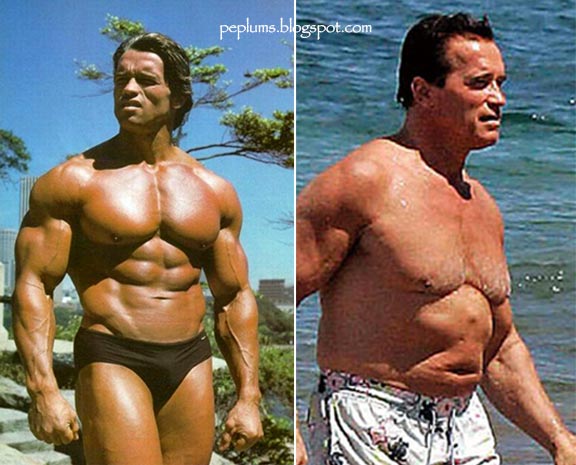





How to improve Perf

Strategy?
- Understand the situation/ use case
- Is it a performance/ design problem?
- Don't blindly go for blog/ talk/ boss
- Or some random guy in a conference
- Measure it (before, after)
- Make sure u understand after 6 months
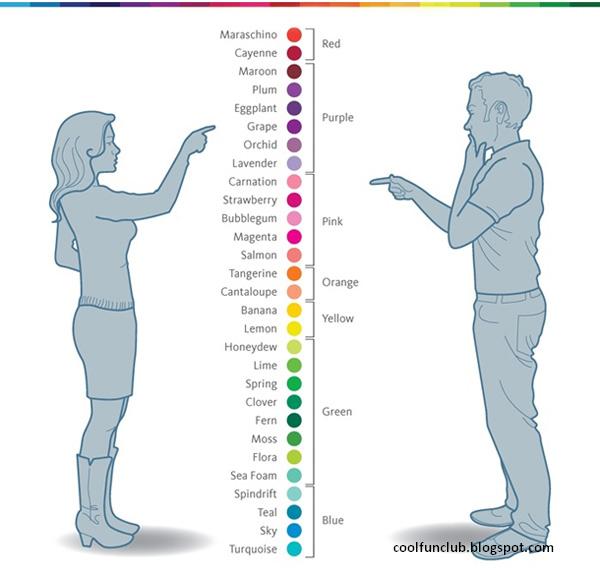
how many colors are there?

Array

Create Array
new Array(); //constructor
var a = new Array(5);
//[undefined, undefined, undefined, undefined, undefined]

var b = new Array(5, 6);// [5,6]
[]; //literals
var c = [];
c[0] = 1;
c[1] = 2;
c[2] = 3;
var d = [1, 2, 3, 4];
push vs assign
var a = [];

for (var i = 0; i < 10000; i++){
   a.push(i);
}
var b = [];

for (var i = 0; i < 10000; i++){
   b[i] = i;
}
Push multiple
var a = [1, 2];
a.push(3, 4, 5);
a; // [1, 2, 3, 4, 5]
indexOf Extra Parameter
var b = [1, 2, 3, 4, 5, ...];

b.indexOf(669);
b.indexOf(669, 500);Array summary
- Same Type
- Avoid Pre-allocate (Grow as you Go)
- [] is faster than new Array()
- a[index] is faster a.push
- push can insert multiple
- consider fromIndex if possible
loop



Loop in childhood memory
for(var i = 0; i < 100; i++){
   console.log('I will not throw paper airplanes in class');
}
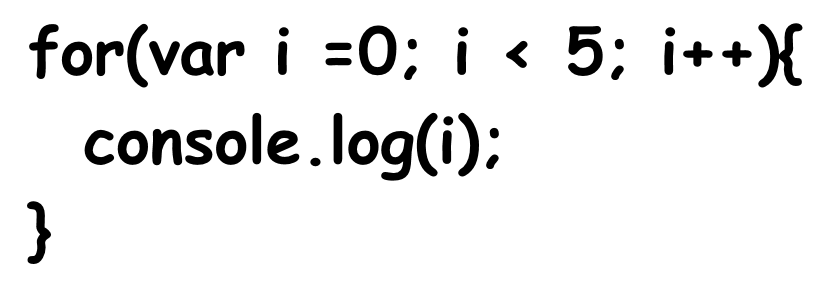
for(initiation; iteratingCondition; repeatingExpression){
  repeatingCode;
}
initiation;
var myArr = [1, 2, 3, 4, 5];

for(var i = 0; i < myArr.length; i++){
  console.log(myArr[i]);
}
//length is calculated once

for(var i = 0, len = myArr.length; i < len; i++){
  console.log(myArr[i]);
}
cache outside for loop
for(var i = 0; i < 10; i++) {
   var container = document.getElementsByClassName('container');
   console.log(container[i].innerText);
}
when value doesnt change
var container = document.getElementsByClassName('container');

for(var i = 0; i < 10; i++) {
   console.log(container[i].innerText);
}
forward or backward
var myArr = [0,1,2,3,4,5 ...],
    len = myArr.length;

//forward
for(var j = 0; j < len; j++){
  console.log(myArr[j]);
}
//backward
for(var i = len; i--; ){
  console.log(myArr[k]);
}
dont worry about it for a smaller array
js perf: backward test or for loop backwardwhy backward is fast
cache function
var arr = [];
for (var i = 0; i < 1000; i++) {
  arr.push([1, 2, 3].map(function (x) { return x * x; }));
}
var arr = [];
var sq = function (x) { return x * x; };

for (var i = 0; i < 1000; i++) {
  arr.push([1, 2, 3].map(sq));
}
filter vs if
var devs = [{ name: 'addy osmani', age: 29}, {name: 'paul irish', age:31}, {name: 'md khan', age: 13}];
devs.filter(function (el, i, arr) {
    return el.age > 21;
});
function filterByForLoop(myArr, num){

    var i, j = 0, len, output=[];

    for (i = 0, len = myArr.length; i < len; i += 1) {
        if (myArr[i].age > 10) {
            output[j++]= myArr[i];
        }
     }
     return output;
}for vs for-in
var myArr = [1, 2, 3, 4, 5, ... ];

//faster
for(var i = 0; i < 1000; i++){
 console.log(myArr[i]);
}

//than
for(var j in myArr){
  console.log(myArr[j]);
}
dont use for-in while traversing on an array
for vs for-in, spec: 12.6.4
for in could be faster
var arr = [0];
arr[999] = 999;

for(var i = 0, len = arr.length; i < len; i++){
   console.log(arr[i]);
}
for(var j in arr){
  console.log(arr[j]);
}
while, do while
var myArr = [1,2,3,4,5,6,7,8,9],
    len = myArr.length,
    i =0;

while (i++ < len) {
  console.log(myArr[i]);
}
var l = arr.length;

while(l--) {
  someFn(arr[l]);
}
different looping
summary of looping
- don't measure length in every iteration
- cache function used in repeatingCode
- simple for loop is faster than filter
- for-in could be faster
- on array, reverse while is the fastest
scope
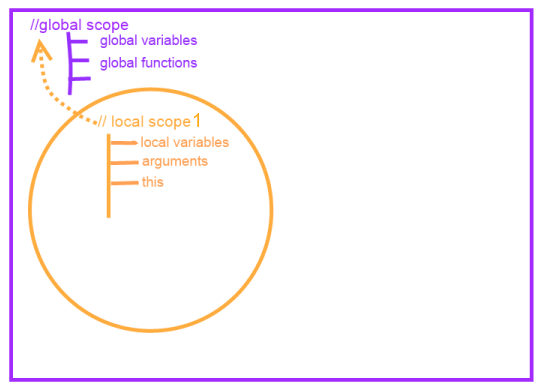
store out of scope variable
var myArr = [0, 1, 2,3 4, 5 ...];

function useGlobal() {
    for (j = 0; j < 1000; j++)
        console.log(myArr[j]);
}
function useLocal() {
    var localArr = myArr;
    for (var k = 0; k < 1000; k++)
        console.log(localArr[k]);
}
is it hard to
Improve
Performance?




DOM

DOM query


DOM query
- getElementById
- getElementsByClassName
- getElementsbyTagName
- querySelector
- querySelectorAll
Mastering DOM access (read it)
What to use
<div>
    <article>
        <p>some unnecessary text</p>
    </article>
    <article >
        <span id="myId" class="myClass">my span not spam</span>
    </article>
</div>
- getElementById('myId') is the fastest
- querySelectorAll('#myId')[0] is the slowest
selector api comparison
Cache
<div class="awesome-selector">
  <div class="inner-1"> Header - 1 </div>
  <div class="inner-2"> Header - 2 </div>
  <div class="inner-3"> Header - 3 </div>
</div>
var h1 = document.querySelector('.inner-1');
var h2 = document.querySelector('.inner-2');
var h3 = document.querySelector('.inner-3');
var awesome = document.querySelector('.awesome-selector');
var h1 = awesome.querySelector('.inner-1');
var h2 = awesome.querySelector('.inner-2');
var h3 = awesome.querySelector('.inner-3');
need for speed

query speed (desc)
- ID - #myID
- Class – .myClass
- Tag – div
- Sibling – div + p, div ~ p
- Child – div > p
Efficient CSS Selector
Speed getting slower
- Descendant – div p
- Universal – *
- Attribute – input[type="checkbox"]
- Pseudo – p:first-child
Faster HTML and CSS
select by attribute value
<section class="mySection">
  <div class="myDiv">
       <div>
	    <span data-control="true">Something, Darkside</span>
       </div>
  </div>
</section>
document.querySelectorAll('.mySection .myDiv [data-control]')
<div>
  <span class="data-control" data-control="true"> Something, Darkside   </span>
</div>
document.getElementsByClassName('data-control');
Create DOM
ways to create DOM
var ul = document.getElementById('myList');

el.innerHTML = '<li>Only one item</li>';
remove all elements, parse string, assign as children
var li = document.createElement("li");
var text = document.createTextNode('Only one Item');

li.appendChild(text);
ul.appendChild(li);
var li = document.createElement("li");
var text = document.createTextNode('Only one Item');
li.appendChild(text);
ul.appendChild(li);
createElement, TextNode, $.append
more changes
var list = ['foo', 'bar', 'baz'],
    li, text;

for (var i = 0; i < list.length; i++) {
    li = document.createElement('li');
    text = document.createTextNode(list[i]);
    li.appendChild(text);
    document.body.appendChild(li);
}
var fragment = document.createDocumentFragment(),
    list = ['foo', 'bar', 'baz'],
    el, text;
for (var i = 0; i < list.length; i++) {
    el = document.createElement('li');
    text = document.createTextNode(list[i]);
    el.appendChild(text);
    fragment.appendChild(el);
}
document.body.appendChild(fragment);Summary
- Minimize the size of DOM
- cache DOM for multiple query
- avoid reflow while looping
Dom isnt slow you are
Events

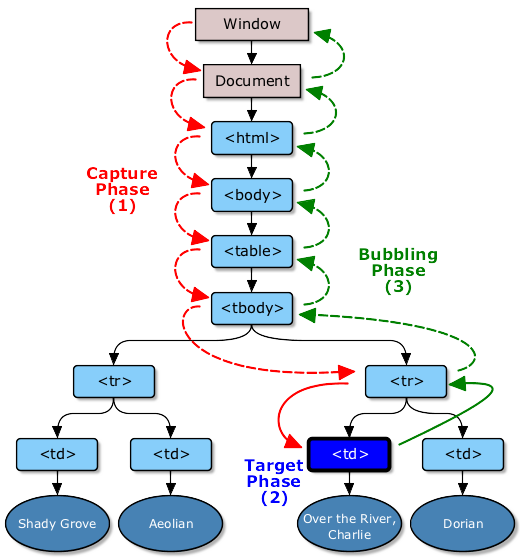
w3: event flow (image)
security guard

event delegate
<ul id="listToDestroy">
    <li><a href="#">first item</a></li>
    <li><a href="#">second item</a></li>
    <li><a href="#">third item</a></li>
    <li><a href="#">forth item</a></li>
    <li><a href="#">Fifth item</a></li>
</ul>
var el = document.getElementById('listToDestroy');

el.addEventListener('click', function (e) {
    var list = e.target.parentNode;
    list.parentNode.removeChild(list);
    e.preventDefault();
});
event delegate (demo)
Debounce & Throttle
Defer
Debounce: Example
so far




summary
- getById, Class, Tag is faster than querySelectorAll
- use efficient css selector
- appendChild is faster than innerHTML
- consider using documentFragment
- Minimize layout reflow
- Delegate Events
- use throttle and debounce
You might not need
JQuery
Are you ready?
$(document).ready(function () {
   console.log('document is ready. I can sleep now');
});
Script as Last Tag of body
document.addEventListener('DOMContentLoaded', function(){
   console.log('document is ready. I can sleep now');
});
document.onreadystatechange = function () {
  if (document.readyState == "complete") {
    console.log('document is ready. I can sleep now');
  }
}
Copy ready: function from JQuery
5-things-you-should-stop-doing-with-jquerydeal with class
$(el).addClass('hide');

$(el).removeClass('hide');

$(el).toggleClass('hide');

$(el).hasClass('hide');
//IE9+
el.classList.add('hide');
el.classList.remove('hide');
el.classList.toggle('hide');
el.classList.contains('hide');
jQuery helpers
$(el).hide();
$(el).show();

el.style.display = 'none';
el.style.display = '';
$(el).html();
$(el).html(setString);
$(el).empty();


el.innerHTML;
el.innerHTML = setString;
el.innerHTML = '';
$(el).text();
el.textContent;event listener
$(el).on(eventName, eventHandler);

$(el).on('click', function(e){
    console.log(e.target);
})

//remove event
$(el).off(eventName, eventHandler);
//IE9+
el.addEventListener(eventName, eventHandler);
el.addEventListener('click', function(e){
    console.log(e.target);
});

el.removeEventListener(eventName, eventHandler);
DOM manipulation
$(el).parent();
$(el).children();

$(el).next();
$(el).prev();

$(parent).append(el);
$(el).remove();

$(el).clone();
el.parentNode;
el.children;

el.nextElementSibling;
el.previousElementSibling

parent.appendChild(el);
el.parentNode.removeChild(el);

el.cloneNode(true);
Is JQuery is Dead?
- Older Browser
- Browser Bugs
- use modular (sizzling)
- querySelctorAll dont have map, each, filter
- Angular, Backbone uses Jquery
- lazy (dont want to learn new framework)
- Is JQuery too big for mobile device
Decide based on your situation
Performance Test

Ways to test
- chrome task manager (shift + Esc)
- devtool - audit, network
- jsPerf.com show popular
- Devtool- Console, timeline, profile
Console API
console.assert(myArray.length >5, "More than 5 elements");

//trace
console.trace();
profile('myProfile');

porfileEnd('myProfile');
 function foo(){
    console.count('fooed');
 }

 foo(); // fooed: 1
 foo(); // fooed: 2
 foo(); // fooed: 3
Console API
More Console
console.time("Array initialize");

var array= new Array(1000000);

for (var i = array.length - 1; i >= 0; i--) {
    array[i] = new Object();
};

console.timeEnd("Array initialize");
Memory Profiling
must watch: advanced performance tooling JS Memory ProfilingLong paint times profiling
Effective Memory management
Leak Finder
chrome://tracing
Tracing paint operationsTracing Flag
Recap
High Perf JavaScript
- local variable is faster than out-of scope variable
- reverse while is the fastest to iterate array
- getById, Class, Tag is faster than querySelectorAll
- use documentFragment
- Delegate Events
- consider throttle and debounce
- Do u really need full Jquery or some module?
- devTool- audit, profile, timeline, console
Break Everything
I have said
\
/
Build you own rules, and update old ones.
Break All the Rules
Final Take Away
- Nothing is absolutely right
trust Tools, not Rules
Angus Croll: Break all the rules
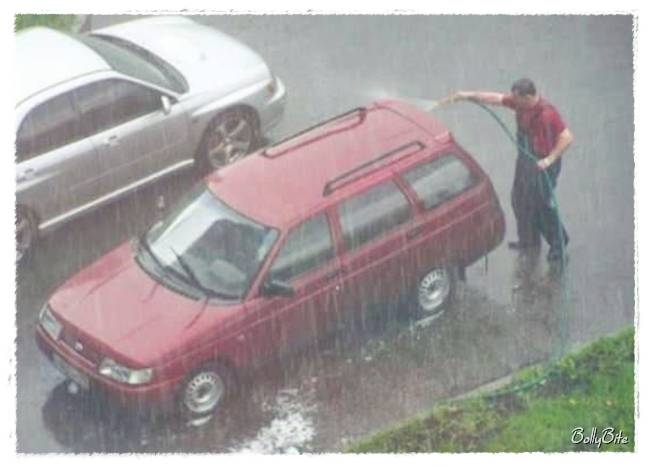
blame framework but take credit

Free Tips
( Appear Smart in Meetings )
1. Draw a Venn Diagram
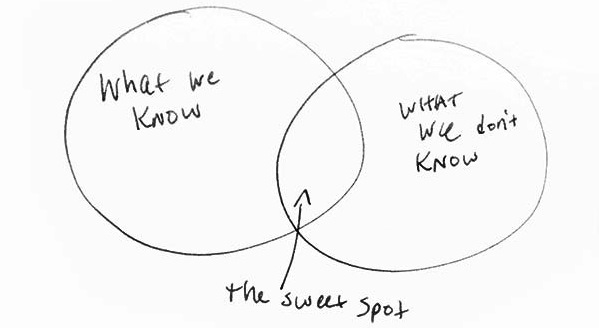
10 tricks to be smart during meetings

Thank You
goo.gl/0JIpFe
MD Khan / @mdkhan005
www.thatJsDude.com